
How to edit, deactivate, and resend your share
To make changes to your share, log in to your account in the usual way and follow these steps:
Step 1: Click on "Sharing" in the top bar next to your name to access your shares.
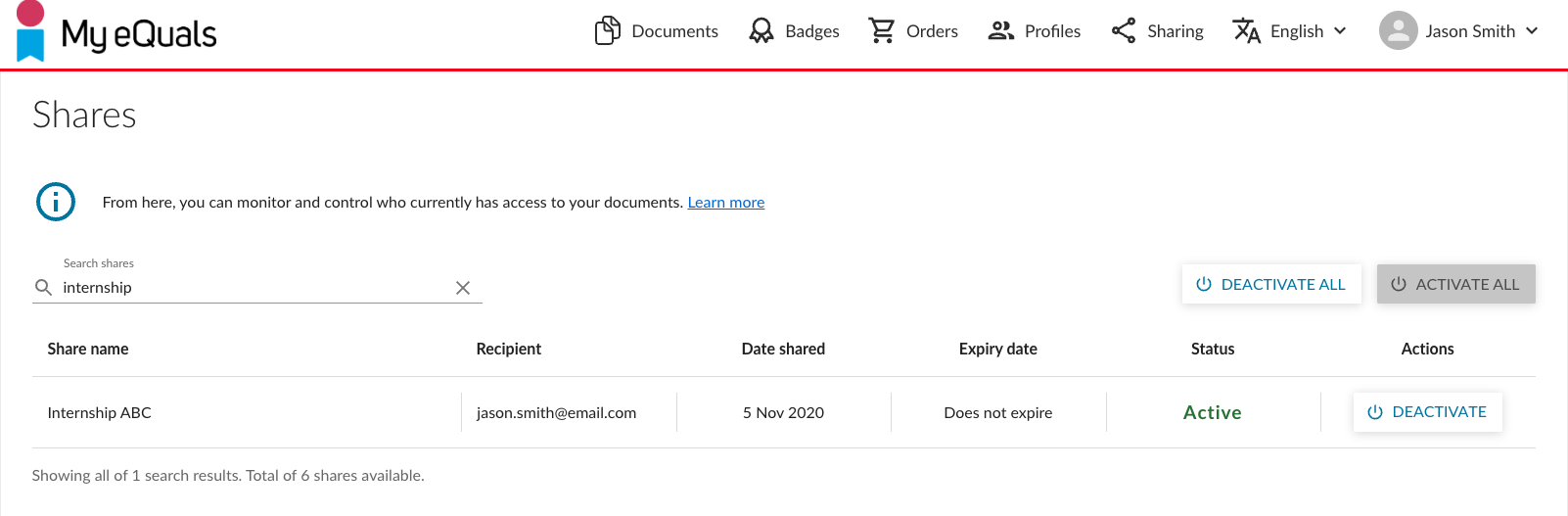
Step 2: Open the share details by clicking on the share name. In addition to viewing the status, you can perform the following actions:
Click the "RESEND EMAIL" button to resend the email with the link to your recipient.
Click the "DEACTIVATE" button to deactivate the share, preventing the recipient from accessing it.
Click the "COPY LINK" button to copy the share link to the clipboard.
Click the share entry to view the share details.
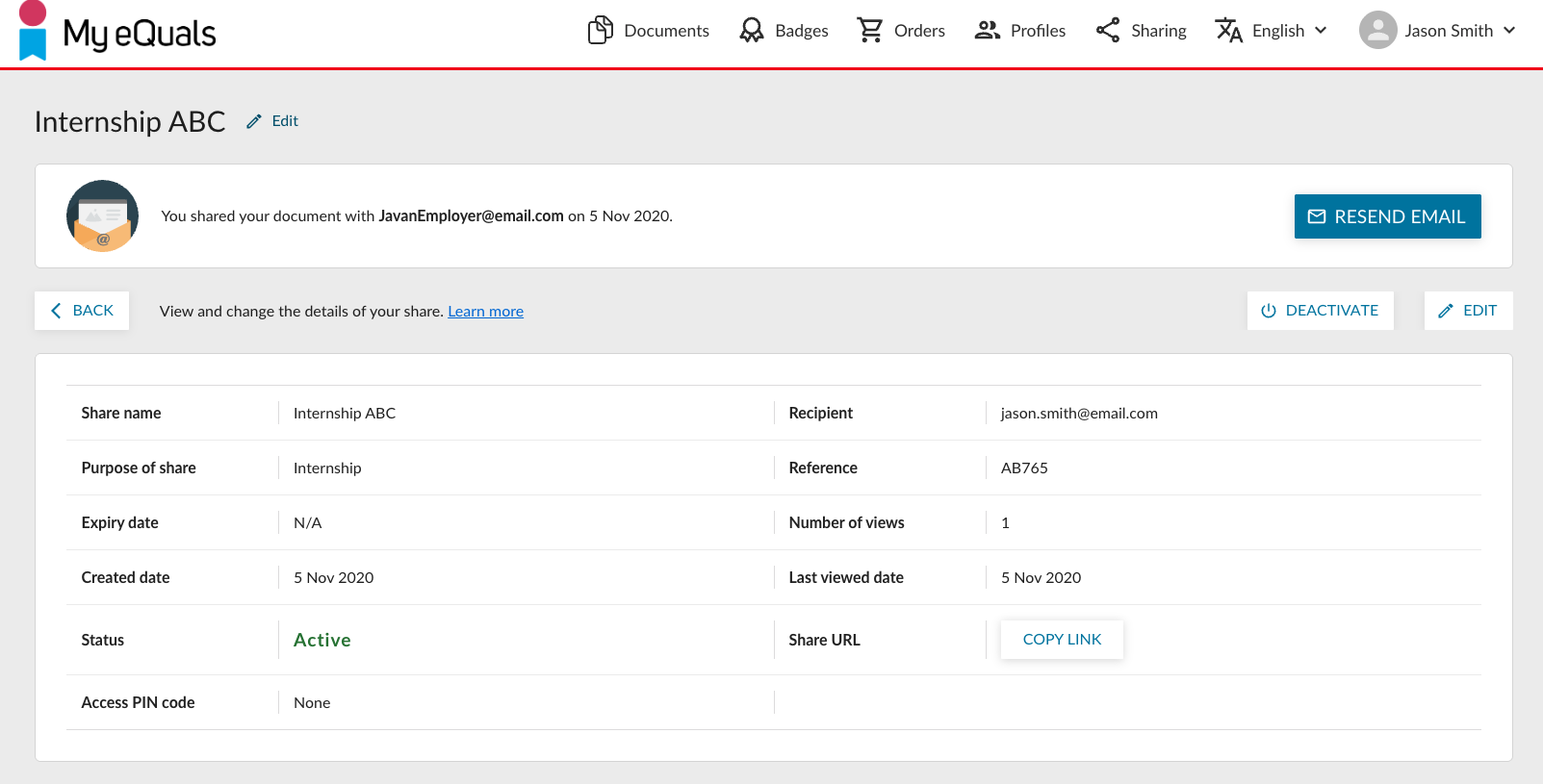
Step 3: If you wish to make changes to the share, click the "EDIT" button.
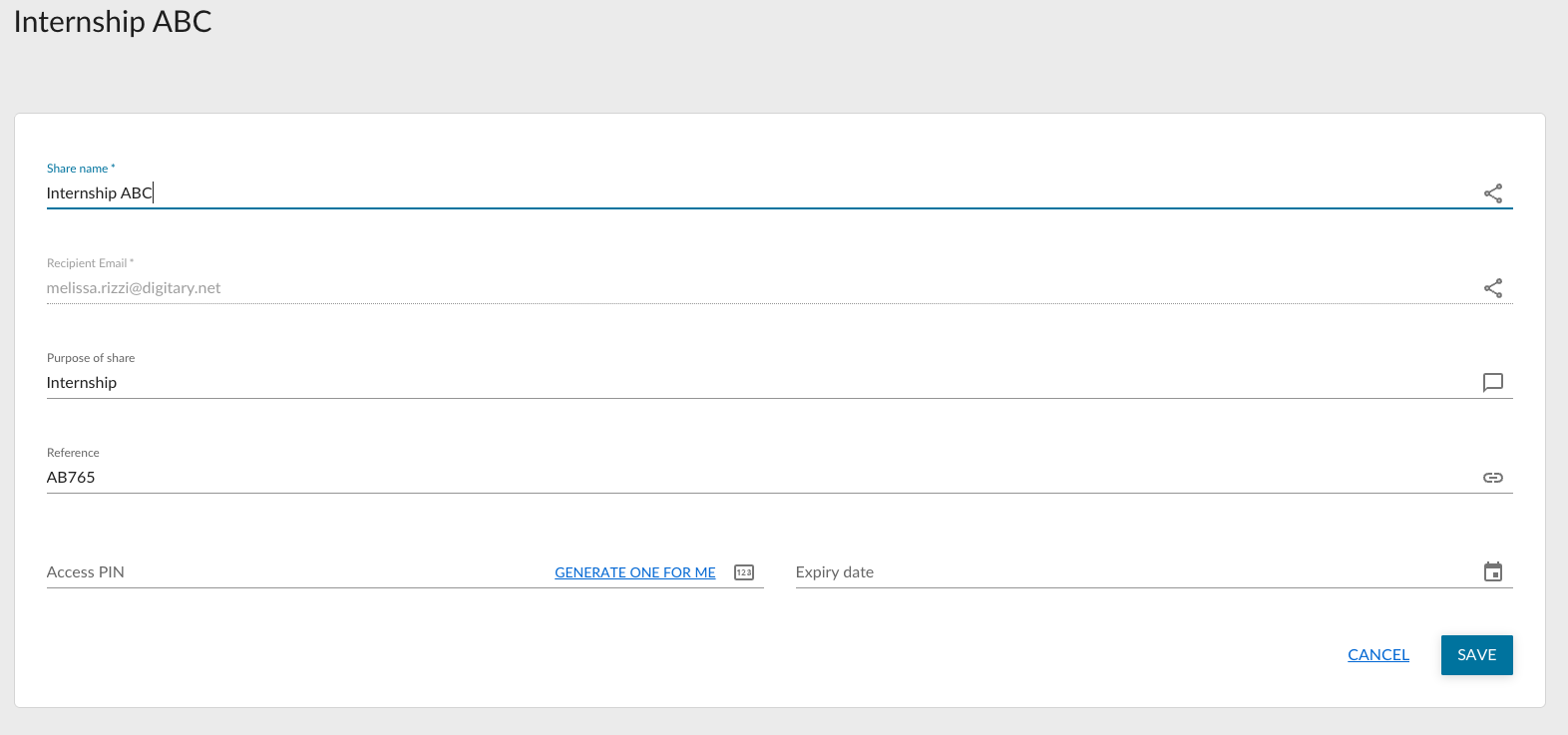
If you have shared to an email address, you will be able to edit the email address also, provided that the share has not yet been viewed. The new recipient will then receive a notification.