How to log in with your Institution Account
Some Institutions and Universities allow you to log into My eQuals using your Institution or University login.
To log in with your Institution or University, first go to https://www.myequals.net
Once you are presented with the My eQuals login page, you’ll see that there is a Sign in with your Education Provider option, underneath the email address and password login options.
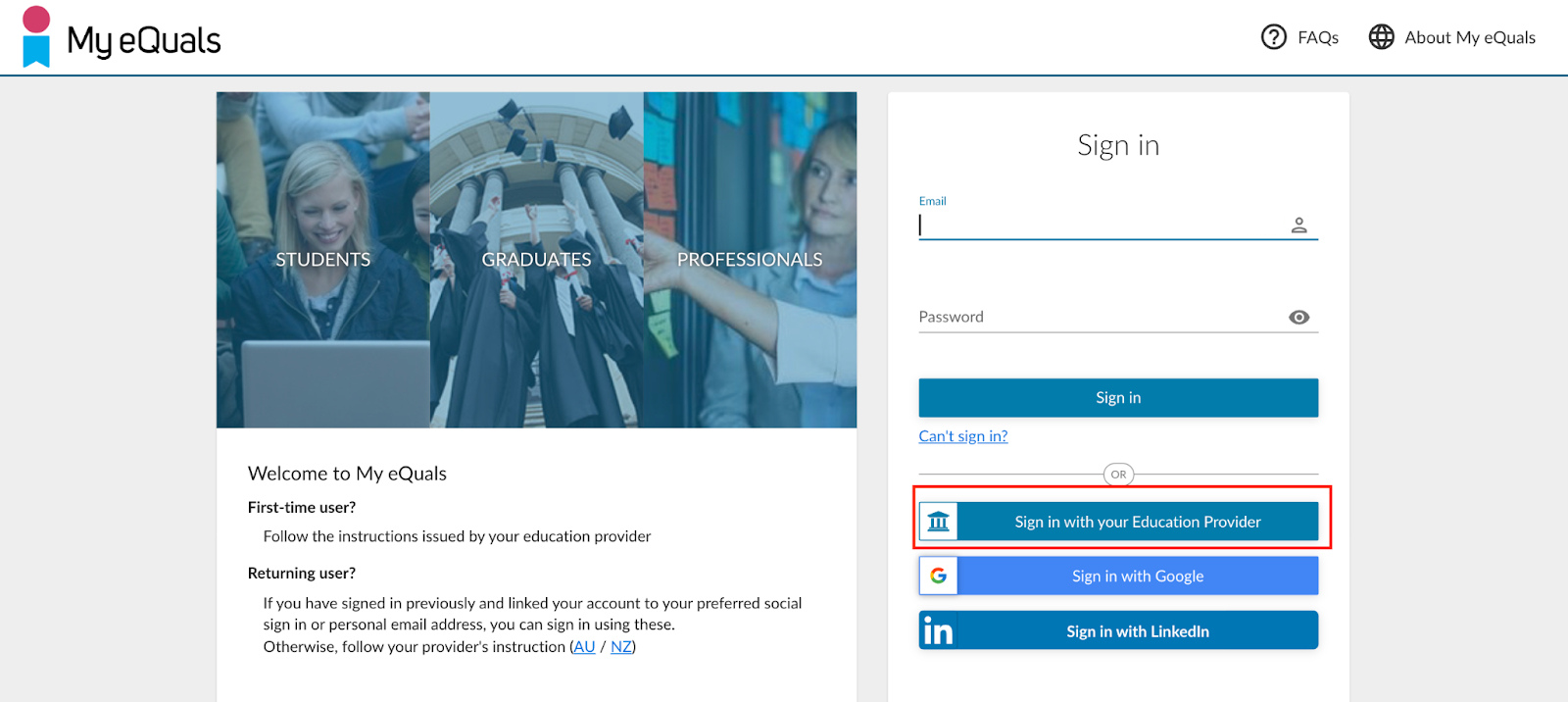
When you click this button you’ll then need to enter the name of your institution, or select it from the list of available institutions.
If your institution is not in the list, this means that they do not currently offer this option of login to My eQuals.
After you have selected your Institution, press the CONTINUE button.
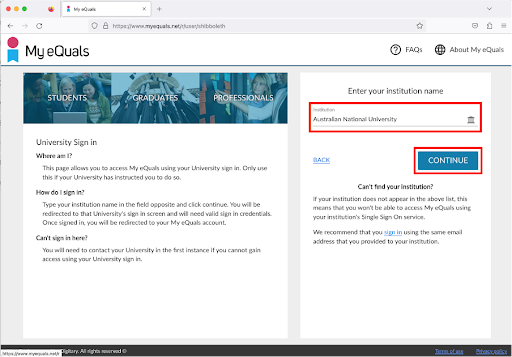
You will then be sent to your institution’s log in page.
Sign in with your institution’s login credentials. After you have successfully signed, you will be returned to your My eQuals account homepage.